
Using a Group Calendar
This document will show users how to edit group calendars in the Outlook app.
- Open the Outlook Desktop application.
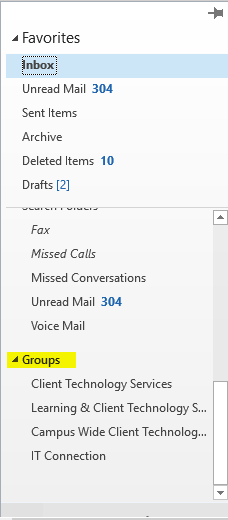
- On the left side, open the Favorites pane and scroll down to your groups.
- Select the group whose calendar you'd like to view/edit.
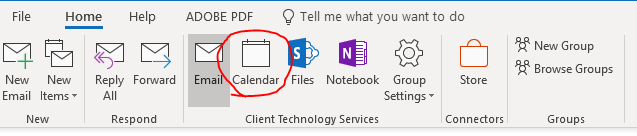
- This will open the group's shared email. In the top ribbon, there is an option for Calendar. Click it on Calendar.
- This will open the group's shared email. From here, you will be able to create appointments and meetings just like in an individual Outlook calendar.
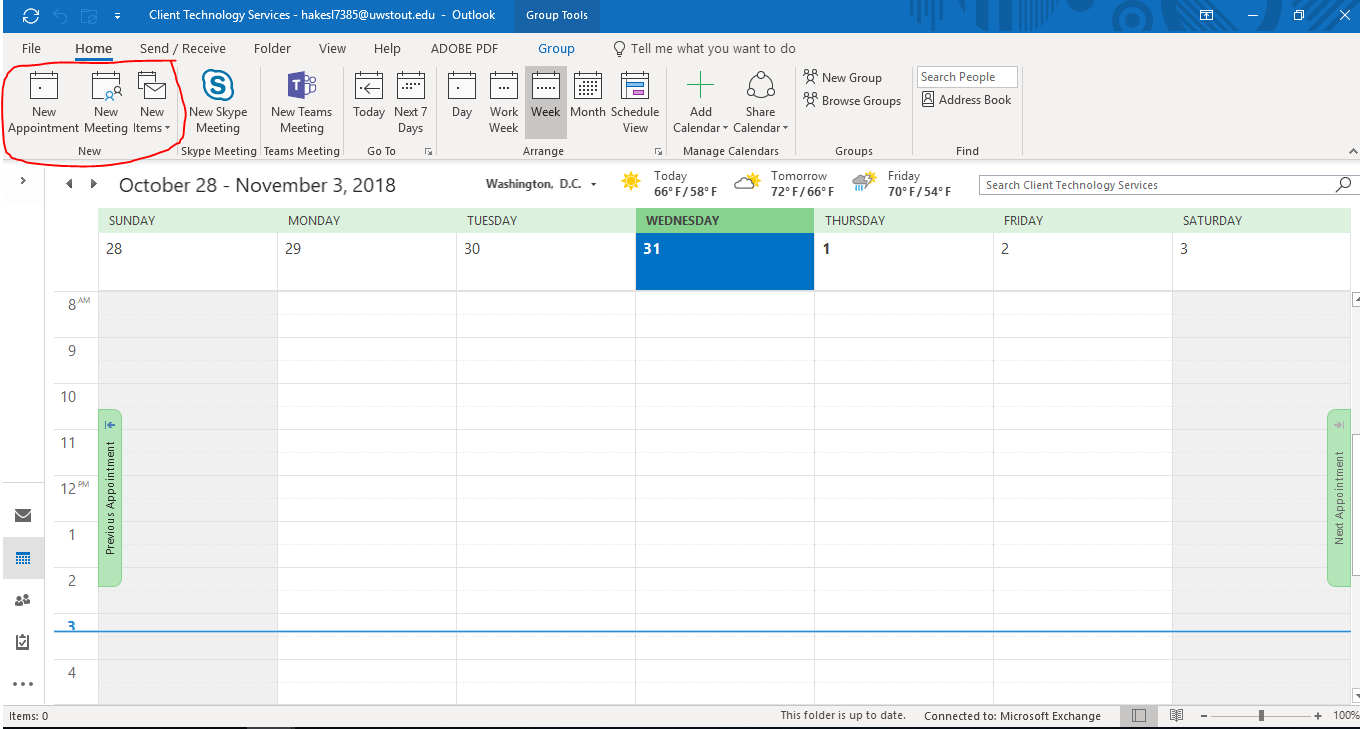
Anything created in this calendar will be seen and can be edited by anyone else in the group. You can also invite outside individuals and groups to appointments and meetings. This calendar functions exactly like an individual calendar except it is tied to the group and not a single user.